
Download AIArtGenerator net – Free AI‑Powered Art Creation Tool
Why AIArtGenerator net Stands Out in the Crowd of Creative Software
AIArtGenerator net is a comprehensive AI art generation tool that brings cutting‑edge machine‑learning technology directly to your browser. Whether you are a seasoned graphic designer, a hobbyist painter, a marketer looking for eye‑catching visuals, or an educator seeking engaging classroom material, this web‑based platform eliminates the need for expensive hardware or steep learning curves. The service is completely free, operates without a dedicated GPU, and grants commercial usage rights for every image you create. In an era where visual content drives engagement, having a reliable, instant, and flexible art generator is a game‑changer. This review dives deep into the core capabilities, the step‑by‑step setup process, platform compatibility, and the real‑world pros and cons that matter to creators today.
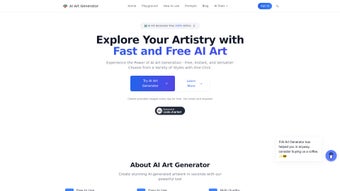
From the moment you land on the homepage, the interface feels purposeful: clean, responsive, and built for quick experimentation. The landing page offers a one‑click “Start Creating” button that instantly opens the prompt builder, so you can begin generating a unique illustration in under a minute by simply typing a prompt, adjusting a few sliders, and clicking “Create.” The results are not just generic stock images; they reflect nuanced color tuning, stylistic filters, and custom effects that can be tailored to match any brand guideline or artistic vision. Moreover, the tool respects intellectual property laws, providing a clear licensing model that allows commercial exploitation without hidden fees. All these attributes make AIArtGenerator net a compelling addition to any creator’s toolkit, whether you are working on social media graphics, book covers, product mock‑ups, or experimental art projects.
Another differentiator is the community‑driven gallery, where users share successful prompts and the resulting artwork. This collaborative space accelerates learning, as newcomers can see how subtle changes in wording affect output quality. The platform also offers real‑time feedback on prompt syntax, helping you refine language for better results. Security is taken seriously: every session is encrypted with SSL/TLS, and two‑factor authentication protects your cloud‑saved projects. By combining accessibility, powerful generation, and a supportive ecosystem, AIArtGenerator net positions itself as a leader among free AI‑art solutions.
In‑Depth Overview & Core Features of AIArtGenerator net
The heart of AIArtGenerator net lies in its sophisticated AI engine, which combines diffusion models with prompt engineering to produce high‑resolution artwork in seconds. Below is a detailed look at the most important capabilities that set this platform apart.
- Custom Prompt Builder: A fully customizable text box that supports natural language, style tags, and weighting, enabling precise control over composition, lighting, and mood. You can add multiple modifiers such as “cinematic lighting” or “vibrant pastel palette” to guide the model toward a specific aesthetic.
- Color Tuning Slider: Adjust hue, saturation, and brightness after generation to fine‑tune the palette without leaving the platform. The sliders provide instant visual feedback, allowing you to experiment with complementary colors or dramatic contrast adjustments.
- Stylistic Filters: Choose from over 30 built‑in artistic styles ranging from classic oil painting to cyber‑punk neon, each applied instantly to the output. Filters are stackable, so you can blend a watercolor effect with a glitch overlay for truly unique results.
- Unique Effects Library: Add depth‑of‑field, glitch, watercolor, and many other effects that transform a plain AI render into a polished final piece. Effects are parameterized, meaning you can control intensity, blur radius, and other variables to match your project’s needs.
- Batch Generation: Produce up to 10 variations of a prompt in one go, perfect for brainstorming sessions or A/B testing visual concepts. Each variation is saved separately, and you can compare them side‑by‑side in a thumbnail gallery.
- Resolution Options: Export images at 512 × 512 up to 4 K resolution, with lossless PNG or high‑quality JPEG formats. Higher resolutions are automatically rendered on the server, so your local device never bears the processing load.
- Commercial‑Ready Licensing: Every generated image comes with a royalty‑free license, allowing unlimited commercial use without attribution. This eliminates the legal ambiguity that often accompanies free AI tools.
- Zero‑GPU Requirement: All processing happens in the cloud, meaning you can run the tool on any device with a modern web browser, from a low‑end laptop to a smartphone.
- Secure Cloud Storage: Save your projects directly to a private cloud folder, protected by SSL encryption and two‑factor authentication. Stored projects can be revisited, edited, or re‑exported at any time.
Beyond these headline features, the platform also integrates a community gallery where users can share prompts and results, fostering a collaborative environment. The AI model is regularly updated, incorporating the latest research in generative art, which ensures that the visual output stays fresh and on‑trend. For teams, there is an optional workspace mode that lets multiple users collaborate on a single project, complete with version control and comment threads. This makes AIArtGenerator net not only a solo creator’s playground but also a viable solution for small agencies and educational groups.
Overall, AIArtGenerator net balances raw power with user‑friendly controls, making it accessible for beginners while still offering depth for power users. The free tier is generous, and premium upgrades are optional rather than mandatory, preserving the core mission of democratizing AI art creation.
Installation, Setup, and Daily Workflow – Getting Started in Minutes
Because AIArtGenerator net is a web‑based service, there is no traditional installation process. All you need is a stable internet connection and a modern browser (Chrome, Firefox, Edge, or Safari). Follow these steps to start creating right away, and you’ll be up and running in less than five minutes.
- Visit the Official Site: Navigate to aiartgenerator.net. The homepage loads in under two seconds on a standard broadband connection, and a prominent “Start Creating” button invites you to the prompt builder immediately.
- Create a Free Account: Click “Sign Up,” enter your email, and set a strong password. You’ll receive a verification email; confirm it to unlock full functionality, including cloud storage and batch generation.
- Secure Your Account: Enable two‑factor authentication from the account settings page. This adds an extra layer of security, especially important if you plan to use the tool for commercial projects.
- Familiarize Yourself with the Interface: The dashboard is divided into three panels – Prompt Builder on the left, Preview Canvas in the center, and Settings/Filters on the right. Hover over icons for tooltip explanations, and use the “Help” overlay for a quick tour.
- Generate Your First Image: Type a descriptive prompt (e.g., “a futuristic cityscape at sunset, ultra‑realistic, vibrant colors”) and hit the “Create” button. The AI will start processing, typically delivering a result within 10‑15 seconds.
- Refine the Output: Use the color tuning sliders, apply a stylistic filter, or add an effect from the library. Each adjustment updates the preview in real time, allowing you to iterate without re‑rendering from scratch.
- Export or Save: Once satisfied, click “Export” to download the image in your desired resolution and format, or click “Save to Cloud” to keep it within your private gallery for future edits.
- Utilize Keyboard Shortcuts: Power users can speed up the workflow with shortcuts such as Ctrl+Z for undo, Ctrl+S to save, and Ctrl+Shift+E to export directly.
- Leverage the Activity Feed: Every generation is logged, so you can revisit older versions, compare batch results, or track the evolution of a project over time.
Because everything runs in the browser, updates are seamless – the developers push new models and features to the server, and you automatically get the latest version the next time you reload the page. No manual patches or downloads are required, which keeps the workflow frictionless and ensures you always have access to the most advanced AI capabilities.
If you encounter a slow preview, check your internet speed (minimum 5 Mbps recommended) or clear your browser cache. The support center offers a searchable knowledge base and a community forum where you can ask for prompt‑tuning advice. With these resources, even newcomers can become proficient in just a few sessions.
Platform Compatibility, Pros & Cons – A Balanced Look at AIArtGenerator net
AIArtGenerator net is built to be truly cross‑platform. Since it operates entirely in the cloud, it works on any operating system that supports a modern web browser, including Windows 10/11, macOS Ventura and later, Linux distributions, ChromeOS, Android, and iOS. The responsive design automatically adapts to tablets and smartphones, allowing you to generate artwork on the go without sacrificing functionality. Performance is largely dependent on your internet speed; a minimum of 5 Mbps is recommended for smooth real‑time preview rendering, while faster connections reduce generation latency.
Pros
- Free and Unlimited Access: No hidden fees for basic usage, and commercial licensing is included.
- No GPU Needed: Runs on any device with a browser, eliminating costly hardware upgrades.
- Rich Feature Set: Advanced color tuning, over 30 filters, batch generation, and high‑resolution export.
- Commercial‑Ready Licensing: Immediate royalty‑free usage for marketing, merchandise, and client work.
- Regular AI Model Updates: The service incorporates the latest research, keeping outputs fresh.
- Secure Cloud Storage: Encrypted project saving and two‑factor authentication protect your assets.
- Community Gallery & Prompt Library: Learn from shared prompts and see real‑world examples.
- Workspace Collaboration: Teams can co‑edit projects with version control and comments.
Cons
- Internet Dependency: Offline work is not possible; a stable connection is required.
- Limited Advanced Editing: While great for generation, the tool lacks deep pixel‑level editing found in dedicated software like Photoshop.
- Export Quotas on Free Tier: Users may encounter daily download limits if generating large volumes of high‑resolution assets.
- Learning Curve for Prompt Mastery: Achieving optimal results may require experimentation with prompt syntax and weighting.
- Browser Compatibility Issues: Very old browsers may not support all interactive features, requiring an upgrade.
Overall, AIArtGenerator net delivers a robust, free, and versatile solution for creators who need quick, high‑quality AI art without the burden of hardware constraints. Its pros far outweigh the cons, especially for freelancers, small agencies, and educators.
Frequently Asked Questions & Final Verdict – Is AIArtGenerator net Right for You?
Is AIArtGenerator net truly free for commercial use?
Yes. Every image generated on the platform comes with a royalty‑free commercial license, allowing you to sell prints, use the artwork in advertising, or incorporate it into client projects without paying additional fees.
Do I need a powerful computer or GPU to run AIArtGenerator net?
No. All AI processing occurs on remote servers. A standard laptop, tablet, or even a smartphone with a modern browser is sufficient, provided you have a stable internet connection.
Can I export images in 4K resolution?
Absolutely. The platform supports export up to 3840 × 2160 pixels (4K) in lossless PNG or high‑quality JPEG formats, making it suitable for large‑format prints and high‑definition digital media.
Is there a limit to how many images I can generate per day?
The free tier includes a generous daily quota (approximately 50 high‑resolution renders). If you need higher volumes, a paid subscription removes most limits and adds priority processing.
How secure is my data and generated artwork?
All data transmission is encrypted via SSL/TLS, and stored projects are protected with two‑factor authentication. The service complies with GDPR and other major privacy regulations, ensuring your creative assets remain confidential.
After evaluating its features, ease of use, and licensing model, the conclusion is clear: AIArtGenerator net is an excellent choice for anyone seeking a fast, free, and legally safe way to produce AI‑driven visuals. Its cloud‑based architecture removes hardware barriers, while the extensive filter library and high‑resolution export options satisfy professional standards. If you’re ready to boost your creative workflow without spending a dime, click the download button below and start turning imagination into pixel‑perfect art today.



.png)



